
Active installs
5K+
Product comparison
Subscription includes
Support
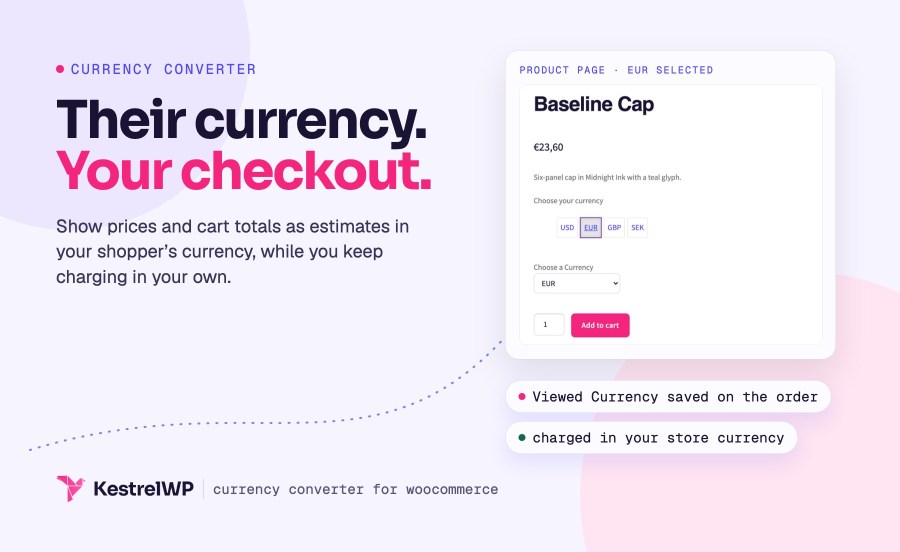
Currency Converter Widget for WooCommerce adds a currency switcher to your store, so shoppers see prices, shipping and cart totals in their own currency. A shopper in Germany sees a price in dollars and has to work out the euro amount; with the switcher, they pick euros, pounds or any other currency you offer and the page shows estimates in it, using exchange rates that refresh every 12 hours. Checkout stays in your base currency, so nothing changes in how you take payment. It is for stores that only need prices shown in shoppers’ currencies, not charged in them, and it needs no key or account.
Currency Converter Widget changes what shoppers see. It does not change what they pay.
What it does
What it doesn’t do
If shoppers need to pay in their own currency, you need a multi-currency payment option instead.
Put the switcher in any widget area, or use a shortcode on a page, a post or a template part. Choose a row of buttons or a Select Box, add a short message above it, and list the currencies you want to offer, one per line. Shoppers pick once and the choice is remembered for seven days, so the store keeps speaking their currency on every page they visit. Your store currency stays on the list, so shoppers can always switch back.
[woocommerce_currency_converter] anywhere the widget area doesn’t reach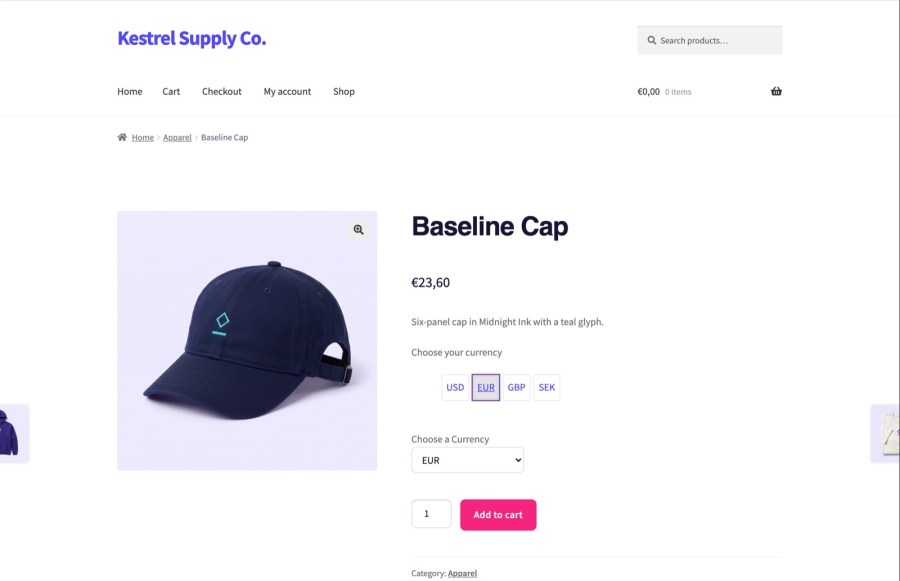
Unless you turn it off, the switcher uses WooCommerce geolocation to pick a currency for a first-time visitor from the list you offer, and falls back to your store currency when their country isn’t on it. Whatever a shopper picks themselves is remembered for seven days and always comes first. You decide which currencies count: only those on your list can be picked automatically. A visitor from Germany lands on euros without hunting for a menu, and a visitor from a country you don’t list sees your normal prices.
* after the code, such as SEK*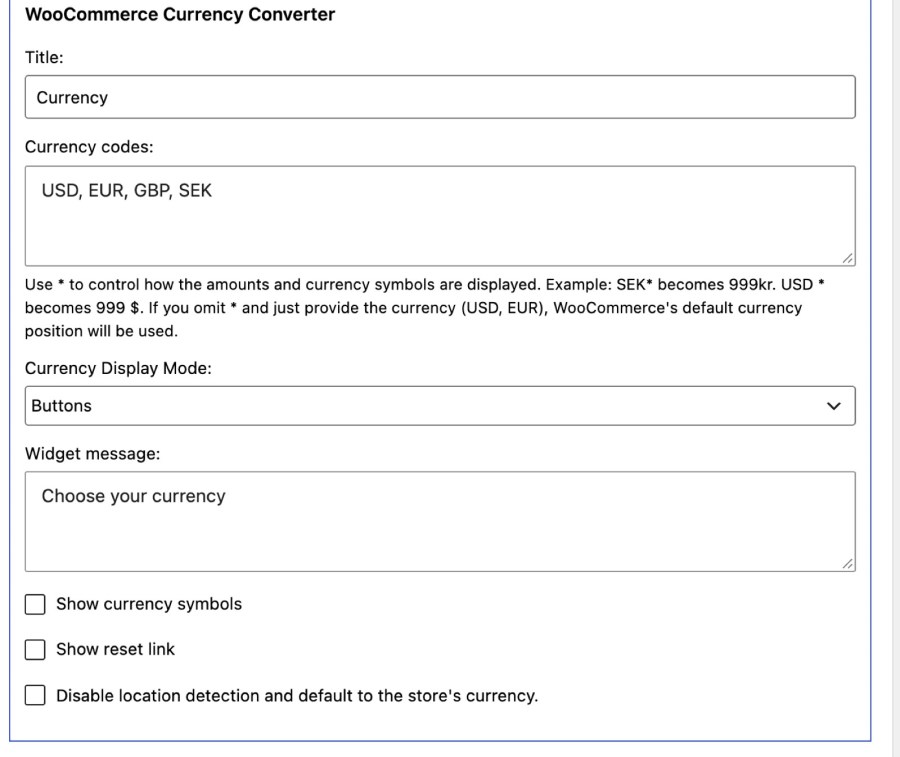
When a shopper picks a currency, every price in WooCommerce’s standard price markup changes in their browser without a reload: product and sale prices, shipping costs, and cart and checkout totals. It converts again after a coupon is applied or removed, and it works on the Cart and Checkout blocks as well as the classic pages. Prices stay consistent from the shop to the last step of checkout, and shipping costs appear in the same currency as the products, so nobody does the math twice.
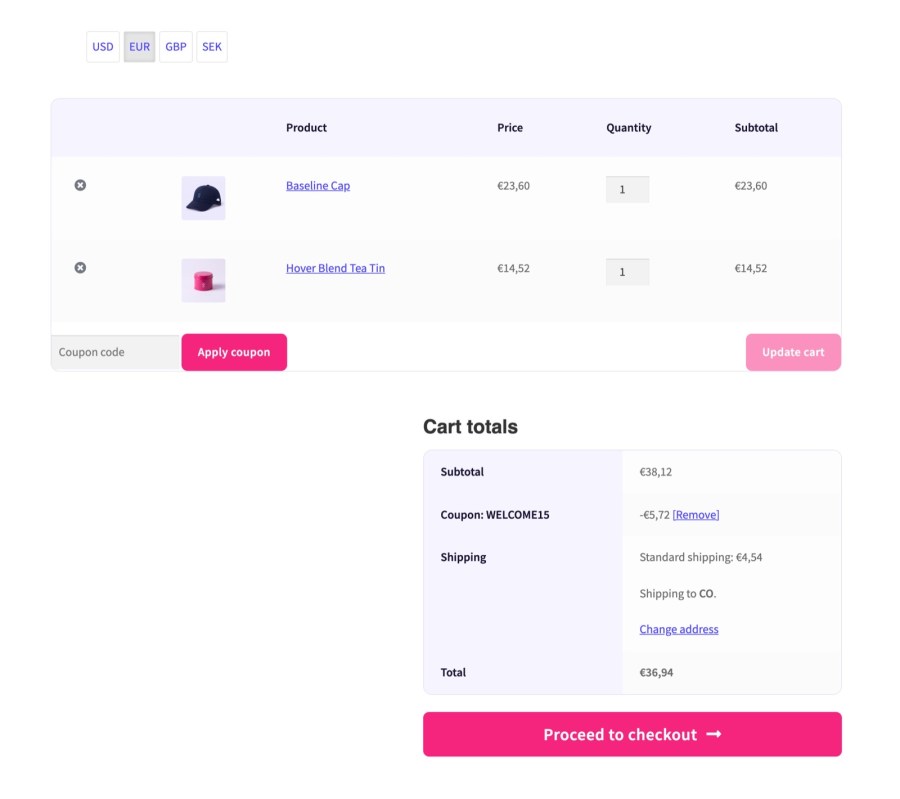
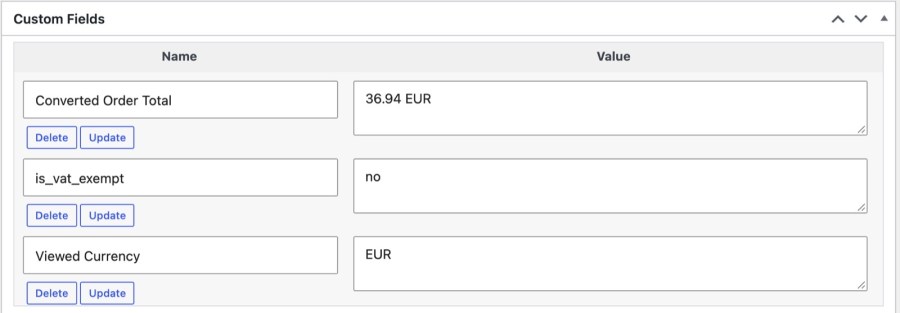
Customers are charged in your store’s base currency, and the order is placed in it, so your payment gateway, taxes and reports work as they do today. On the classic checkout, the order also records the currency the shopper viewed and the estimated total they saw, which turns a “the price changed” ticket into a quick lookup. It also helps when a customer says they were quoted a different amount. Orders placed through the checkout block don’t get these two fields.
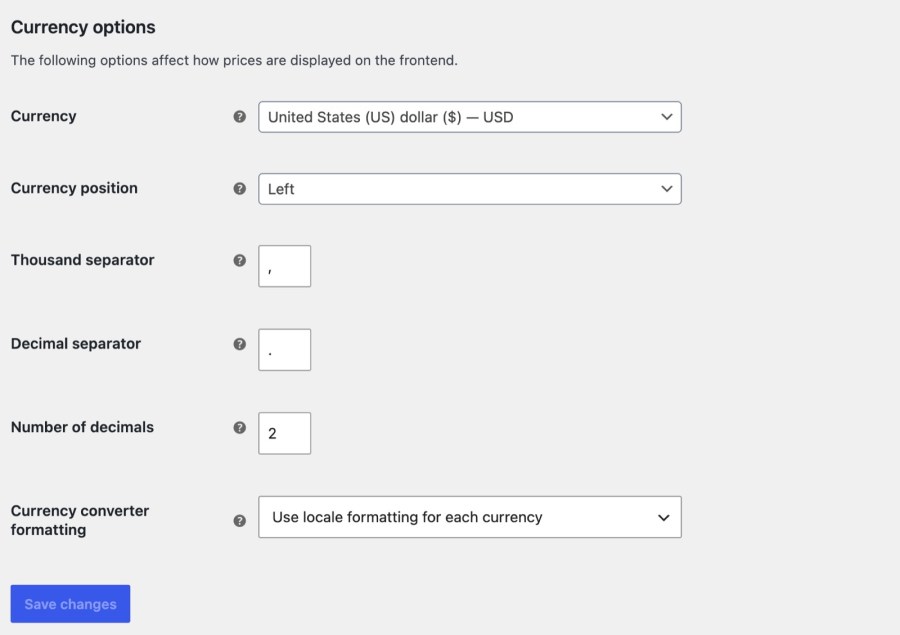
Rates come from Kestrel’s rates service, which is backed by Open Exchange Rates, and refresh every 12 hours, so the switcher works the moment the plugin is active, with no account or key. If you’d rather use your own Open Exchange Rates account, add its App ID and choose a refresh period from 1 to 24 hours. Converted prices can follow each currency’s own number format, or your store’s, whichever reads better for your shoppers. Rates are fetched in U.S. dollars and cached for the refresh period.
Currency Converter Widget works on its own, and it follows your shoppers into other Kestrel extensions. With Rental Products for WooCommerce, the rental form total follows the selected currency, so a customer who picks euros sees the rental price in euros before adding it to the cart. If your customers need to pay in their own currency, WooPayments has multi-currency support built in, where WooPayments is available.
Built and supported by Kestrel, a long-time WooCommerce extension developer. Need help configuring the widget for your catalog? Contact Kestrel support.

No. Currency Converter Widget changes only what shoppers see while they browse. Customers are charged in your store's base currency, orders are placed in it, and every converted amount is an estimate. For payment in the shopper's own currency, use a multi-currency payment option instead.
By default from Kestrel's rates service, backed by Open Exchange Rates and refreshed every 12 hours. They're estimates for information, and the widget message says so. Your server needs to be able to reach the rates service, or the converter can't fetch new rates.
Every price WooCommerce prints in its standard price markup: product and sale prices, shipping costs, and cart and checkout totals. Prices a theme or another plugin prints in its own format aren't converted, and the switcher has to be on the page for conversion to run there.
On the classic checkout, yes: the order records the Viewed Currency and an estimated Converted Order Total as custom fields. Orders from the checkout block don't get these two fields, and the order itself is always in your base currency.
Yes, unless you turn it off. The switcher uses WooCommerce geolocation to choose a currency from your list for a first-time visitor, and falls back to your store currency when their country isn't on it. A currency the shopper picks themselves always takes priority.
Yes. It converts the prices shown in the Cart and Checkout blocks, including after a coupon is applied or removed, and it declares support for High-Performance Order Storage. On the block checkout, orders don't record the viewed currency.
Extension information
Quality Checks
Countries